Swipe left or right to navigate to next or previous post
Improve the software development process using make commands
11 Apr 2024
. category:
Bash
.
Comments
#Tool
#Bash
Makefile is a special text based file that is used by make utility. It automates the process of compiling and linking programs. It contains list of a command that can be quickly executed by running the corresponding make command. It contains sets of rules to build a target command or set of command. Makefile is easy to execute a long list of commands and functions using a single command.
Makefile are commonly used in software development projects to manage complex build processes.
The simple and high level syntax for Makefile target is as follows:
    ruleA: ruleB ruleC
        command1
        command2
A Makefile mainly consists of a set of rules, each of which has a list of zero or more prerequisites, and then zero or more commands. At a very high level, when a rule is invoked, Make first invokes any prerequisite rules (if needed), which may have their own stanzas defined elsewhere) and then runs the designated commands.
The high level syntax with specific key word for Make target is as follows:
    target: prerequisites
        command
        command
        command
A target can be the name of the executable or an object file. It can also be the name of a rule or action.
A prerequisite is an action or file used as an input for the target. These files/actions need to exist before the commands for the target are run. These are also called dependencies. We can declare multiple dependencies for a target by separating them with blank space. Some rules may not require any dependencies.
A command is a single unit of work that needs to be done in order to make the target(s). These need to start with a tab character.
The basic example of the Makefile is:
    say_hello:
        echo make says hello
Installation
To install the GNU Make command, please run the following commands
    sudo apt update
    sudo apt install make
For other Distros, please follow GNU Make
Creating the Make file
To create the configuration file for make command, Just create the file name called Makefile without any file extensions
touch Makefile
Adding commands on the Makefile
To add contents in Makefile. Open the file with your favorite text editor and put make command as shown in the following example
    say_hello:
            echo "Hello world"

    say_welcome:
            echo "Welcome guys"
Running the make command
To run the make command, just type make followed with the rule name like say_hello or say_welcome. If you just type make command, the default rule will run. We will explore about default rule later in this post. If default rule is missing, it will run the first rule in the Makefile.
    make {replace_with_command_from_the_make_file}
    make say_hello
    make say_welcome
Some examples of make example that will be very helpful for django
    runserver:
        python manage.py runserver

    makemigrations:
        python manage.py makemigrations

    migrate:
        python manage.py migrate

    createsuperuser:
        python manage.py createsuperuser
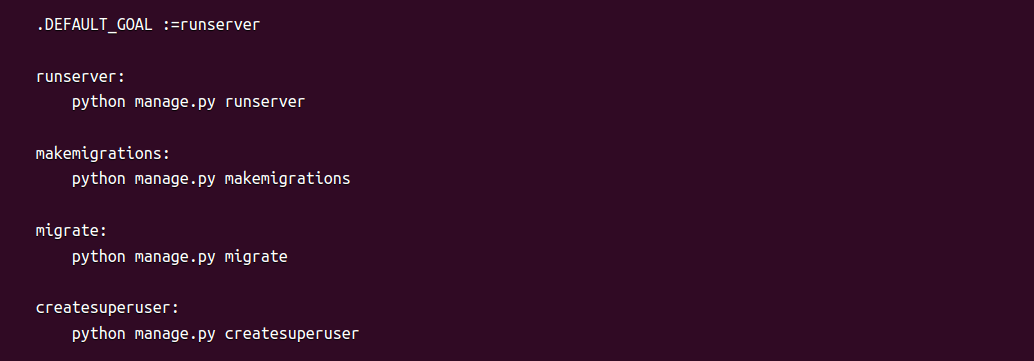
By default, when we run the make command, the first rule is executed. To execute some other rules of our choice, we need to set .DEFAULT_GOAL variable in the Makefile. For example, if you want to execute runserver by default, define .DEFAULT_GOAL :=runserver. Now, when we run the make command, it will run the runserver command.
Alternately use can use default keyword. For example, if you want to execute runserver by default, define .default:runserver. Now, when we run the make command, it will run the runserver command.
    .DEFAULT_GOAL :=runserver

    runserver:
        python manage.py runserver

    makemigrations:
        python manage.py makemigrations

    migrate:
        python manage.py migrate

    createsuperuser:
        python manage.py createsuperuser
Some more examples of make rules example for docker for django
    build:
        docker compose build;

    test-build-nocache:
        docker compose -f docker-compose.yml build --no-cache;

    deploy:
        docker-compose build
        docker-compose up -d

    run-server:
        docker compose up;

    test-run-server-d:
        docker compose -f docker-compose.yml up -d;

    migrations:
        docker compose exec django python manage.py makemigrations;

    migrate:
        docker compose exec django python manage.py migrate;

    shell:
        docker compose exec django python manage.py shell;

    down:
        docker compose down;
Instead of typing the following commands one by one.
    virtualvenv -p python3 venv
    source venv/bin/activate
    pip install -r requirements.txt
    python3 manage.py makemigrations
    python3 manage.py migrate
    python3 manage.py collectstatic
    python3 manage.py runserver
It would be easier to run something like that run all the above commands.
make start
Before that, let's learn about the creating and accessing the variables in the Makefile
Creating Variables in Makefiles
Variables can be defined inside a Makefile to hold the information about files, arguments or even parts of the command. Variables are written in UPPER_CASE followed by colons and is equals to sign (:=) and its value. Generally, variables are declared at the top of the Makefile.
    PYTHON:=python3.12
    MANAGE:=venv/bin/python manage.py
    ACTIVATE:=venv/bin/activate

    # Django Configuration
    PORT:= 8000
Accessing Variables in Makefiles
Variables that are declared in Makefile can be access as a part of the command. The variables can ve access using $ sign followed by curly braces like ${VARIABLE_NAME} where VARIABLE_NAME is the name of the variable whose value you want to access.
    PYTHON:=python3.12
    MANAGE:=venv/bin/python manage.py
    ACTIVATE:=venv/bin/activate

    # Django Configuration
    PORT:= 8000

    install: virtualenv
        @echo "-> Installing Dependencies"
        @${ACTIVATE} pip3 install -r requirements.txt

    migrate:
        ${MANAGE} makemigrations
        @echo "-> Apply database migrations"
        ${MANAGE} migrate

    run:
        ${MANAGE} runserver ${PORT}

    superuser:
        @${MANAGE} createsuperuser
In this example, the ACTIVATE variable as been accessed using ${ACTIVATE}
Advance Make commands using variables
    VENV := venv
    BIN := $(VENV)/bin
    PYTHON := $(BIN)/python3
    SHELL := /bin/bash

    include .env

    help: ## Show this help
        @egrep -h '\s##\s' ${MAKEFILE_LIST} | awk 'BEGIN {FS = ":.*?## "}; {printf "\033[36m%-20s\033[0m %s\n", $$1, $$2}'

    venv: ## Make a new virtual environment
        virtualvenv -p python3 venv && source ${BIN}/activate

    install: venv ## Make venv and install requirements
        ${BIN}/pip install --upgrade -r requirements.txt

    freeze: ## Pin current dependencies
        ${BIN}/pip freeze > requirements.txt

    migrate: ## Make and run migrations
        ${PYTHON} manage.py makemigrations
        ${PYTHON} manage.py migrate

    db-up: ## Pull and start the Docker Postgres container in the background
        docker pull postgres
        docker-compose up -d

    db-shell: ## Access the Postgres Docker database interactively with psql. Pass in DBNAME={name}.
        docker exec -it container_name psql -d ${DBNAME}

    test: ## Run tests
        ${PYTHON} manage.py test application --verbosity=0 --parallel --failfast

    run: ## Run the Django server
        ${PYTHON} manage.py runserver

    start: install migrate run ## Install requirements, apply migrations, then start development server
The above Makefile contains .env as include .env. It was included to ensure the access to environment variables stored in an .env file. This allows Make to use these variables in its commands. For example, the name of virtual environment or to pass in ${DBNAME} to psql
“##” comment syntax in a Makefile gives you a handy description of command-line aliases you can look in to your Django project. It’s very useful so long as you’re able to remember what all those aliases are. The help command above, which runs by default, prints a helpful list of available commands when you run make or make help:
The help command above, which runs by default, prints a helpful list of available commands when you run make or make help:
    help                 Show this help
    venv                 Make a new virtual environment
    install              Make venv and install requirements
    migrate              Make and run migrations
    db-up                Pull and start the Docker Postgres container in the background
    db-shell             Access the Postgres Docker database interactively with psql
    test                 Run tests
    run                  Run the Django server
    start                Install requirements, apply migrations, then start development server
The use of .PHONY in Makefile
.PHONY is actually itself a target for the make command. It denotes labels that do not represent actual files of the project.
Look at the basic example of Makefile
    install:
        echo "installing dependencies"
Everytime when you run the make install command, it will execute the specified command from the Makefile (in our case echo "installing dependencies"). However, if we have the file name called install, the make command would bound to run the install file instead of the command in the Makefile. To override this behaviour, .PHONY is used to make install command to execute no matter of the presence of a file named build.
    .PHONY: install
    install:
        echo "installing dependencies"
Advantages of Makefile
- Clarity and Readability: Makefile provides a readable and proper structured way to define complex processes. Each process and its associated commands are properly defined which helps to make easier for developers to understand and modify the process
- Documentation Within Makefile: Developers can add comments in Makefile for each target, its purpose and commands associated with it. These comments helps to provide the inline documentation and easily accessible documentations for developers.
- Modularization: Makefiles helps to divide and define various build processes into smaller, manageable process. Each process can have its own set of commands, dependencies and documentation. This modular process helps developers to maintain and update the build process over time.
- Dependency Management: Makefiles automatically handle dependencies between targets and their prerequisites. It also ensures that commands are executed in the correct order, based on the dependencies specified.
- Consistency Across Environments: We can specify the commands and their required settings to build the project in Makefiles. This process helps to maintain consistency across different development environments and platforms which also helps to minimize discrepancies between developer setup.
- Automation and Reproducibility: We can automate the build process and ensure reproducibility across different environments. This process helps to streamline the development workflow and reduces the likelihood of human error during the build process.
- Extensibility and Customization: Makefiles can be easily extended and customized according to the changes in the project requirements or build process.

Tapan B.K. is Full Stack Software Engineer. In his spare time, Tapan likes to watch movies, visit new places.